How to Build Your LinkedIn Profile from Scratch (2025 Guide)
04 Oct 2025
2 min read
** Intro**
In 2025, your LinkedIn profile is your new resume. Whether you’re a student, fresher, or job seeker — a professional
LinkedIn presence can unlock internships, jobs, freelance projects, and valuable connections. This guide will walk you
through creating a powerful LinkedIn profile from zero — step by step.
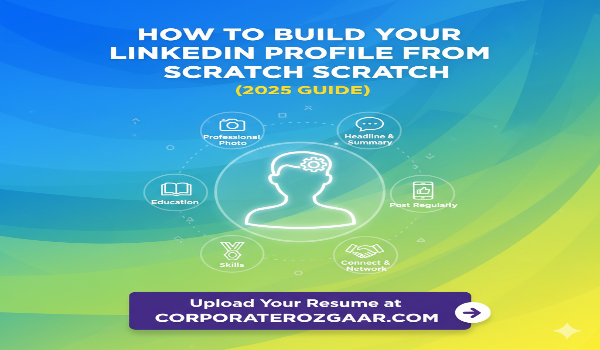
**Step 1: Use a Professional Photo**
Choose a clear, well-lit headshot (avoid selfies or party pics).
Dress as you would for an interview.
Profiles with professional photos get 21x more views.
** Step 2: Write a Clear & Compelling Headline**
Format: Aspiring [Role] | Skilled in [Top Skills] | Open to Opportunities
Example: Aspiring Digital Marketer | SEO & Social Media | Looking for Internships
**Step 3: Write a Strong Summary (About Section)**
Tell your story — who you are, what you’re learning, and what you’re looking for.
Include:- Your background- Your career goals- Skills you're building- What you're passionate about- CTA like 'Let’s
connect!'
Use keywords HRs search for (e.g., Excel, Marketing, Python)
**Step 4: Add Your Education**
Add all your academic qualifications.
Mention projects, clubs, achievements under each course.
Tip: Use bullet points under each degree to highlight wins.
**Step 5: List Your Work Experience or Internships**
Add unpaid internships, freelance work, college projects, part-time work, volunteer experiences.
Use action verbs: Managed, Created, Led, Designed, Analyzed.
**Step 6: Showcase Skills & Endorsements**
Add at least 5–10 relevant skills: MS Excel, Digital Marketing, Python, Canva, Communication, Sales
Ask peers or mentors to endorse you!
**Step 7: Request Recommendations**
Ask professors, colleagues, or seniors for a short recommendation.
It adds trust and proof of your work ethic.
**Step 8: Customize Your LinkedIn URL**
Go to Profile > Edit public profile > Customize URL
Change from: linkedin.com/in/user123456
To: linkedin.com/in/YourName
Looks cleaner on resumes & portfolios.
**Step 9: Post Regularly (Start Small!)**
Share: Learnings, milestones, quotes, internship/project updates, or blogs.
Post 1–2 times a week to stay visible.
**Step 10: Connect & Network**
Start by connecting with classmates, seniors, alumni, HRs, and industry experts.
Always send a personal message while connecting.
Bonus LinkedIn Tips
Add certifications (Google, Coursera, HubSpot)
Join industry-specific LinkedIn groups
Follow job portals like CorporateRozgaar.com
Use 'Open to Work' badge (for visibility)
Upload Your Resume at CorporateRozgaar.com
Created your LinkedIn? Now get interview-ready.
Upload your resume at www.CorporateRozgaar.com
We help:- You get found by verified HRs- Get matched with jobs & internships- Share career tips weekly
**Instagram Caption**
# Want to land your dream job or internship in 2025?
Start with your LinkedIn profile!
This step-by-step guide helps you build your professional brand.
# Upload your resume on CorporateRozgaar.com and get hired faster!
#LinkedInTips #CorporateRozgaar #FreshersJobs #InternshipTips #ResumeTips #CareerAdvice #LinkedInIndia
#JobReadySkills #StudentGuide